Get Started - Configure the Organization
Core Runtime Configuration
- What to set:
- API Base URL: The external/public gateway or API origin the portal will use; used for API calls and for absolute URLs shown in the UI (SCIM inbound, SSO metadata examples, etc.).
- API Version: Set the correct API version prefix if your deployment uses one.
- Tenant Base Domain (optional): Configure the registrable base domain used for tenant subdomains (if you operate tenant-per-subdomain).
- Why: Correct runtime values ensure authentication, links, and copy-pasteable integration URLs are accurate.
- Validation: Visit the portal and confirm links that show external URLs (SCIM endpoints, SAML metadata links) are correct and reachable.
Branding & Tenant Appearance
- What to configure: Organization name, logo, accent color, favicon and optional login-page text in Organization Settings.
- Why: Builds user trust and reduces the chance of phishing confusion; it also helps end users recognize the tenant page during login.
- Validation: Visit a pre-auth/login page and verify branding is applied properly (use incognito mode to avoid caching).
Identity Provider (SSO) Configuration
-
Plan: Choose SSO mode(s): OIDC, SAML, or both. Decide which will be used for user sign-in and which for connected apps.
-
Pre-configuration checklist:
- Obtain IdP metadata: discovery URL, issuer, client ID/secret (OIDC) or metadata XML and certificates (SAML).
- Define claim/attribute mapping: decide what attribute identifies a user uniquely (
email,sub,external id) and which attributes map todisplayName,groups, etc.
-
Steps to configure:
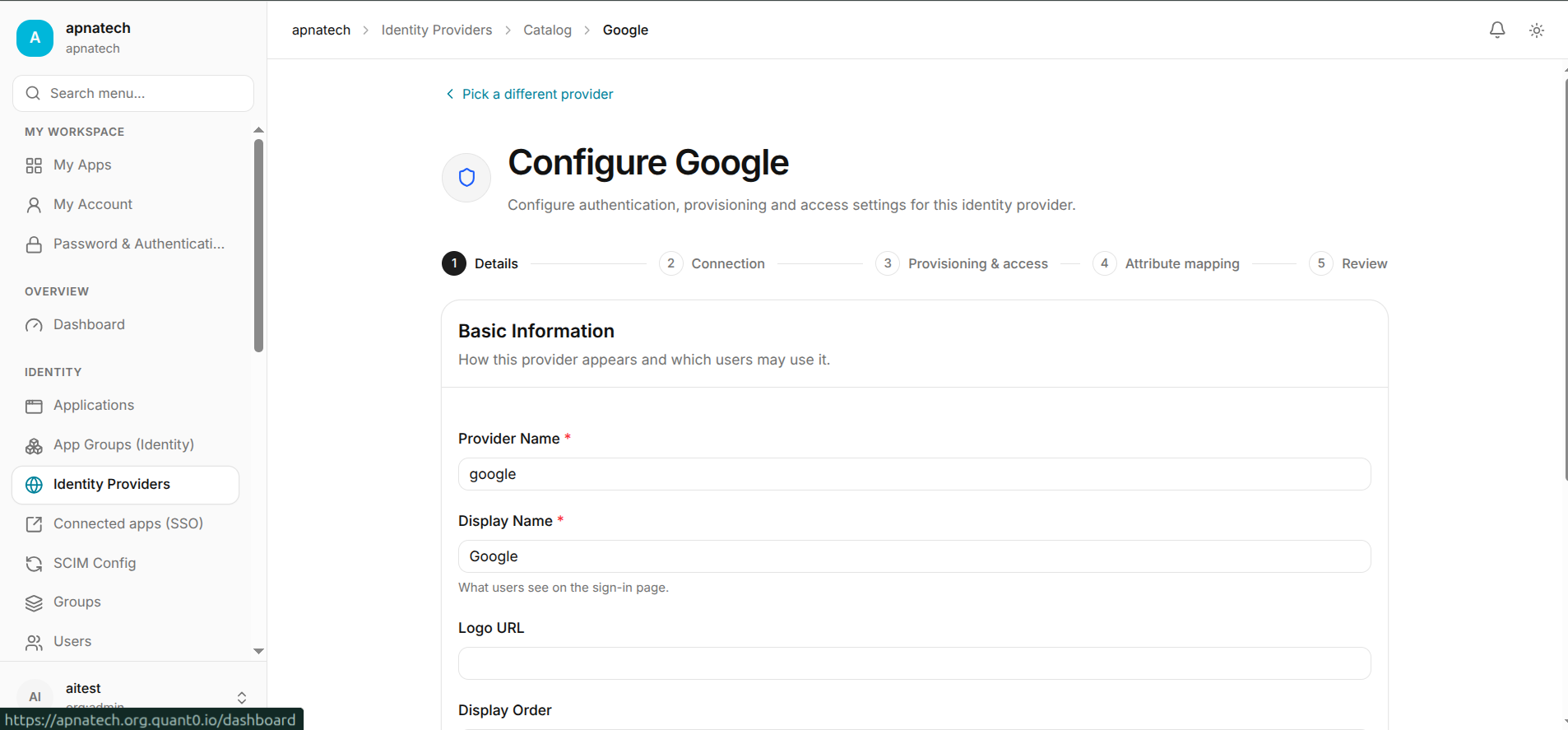
- Add IdP entry in Identity Providers, choose OIDC or SAML.
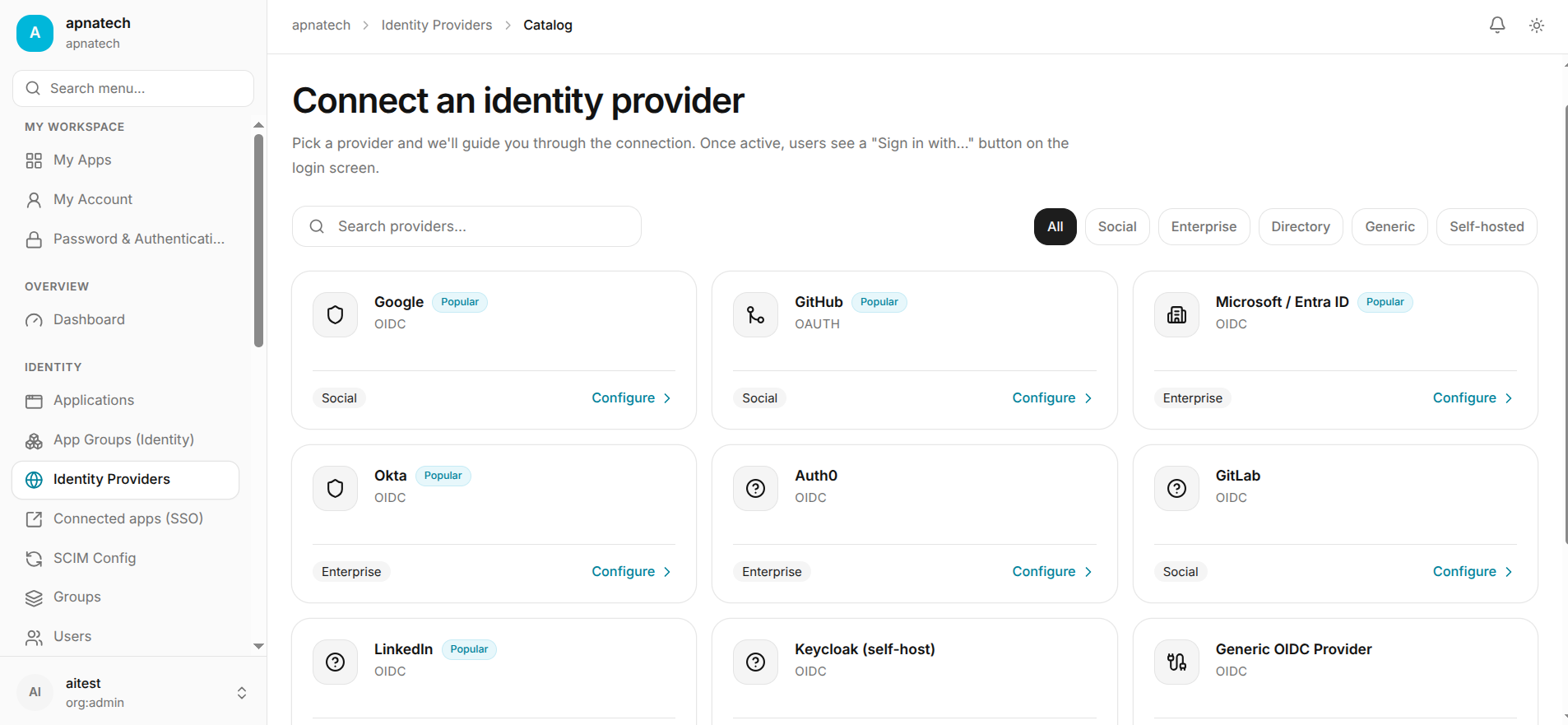
- Enter metadata or upload metadata file/certificate and configure client credentials where applicable.
- Map attributes to portal user fields.
- Test with a single pilot user and verify login, attribute mapping, account creation, and group mapping if applicable.
- Enable SSO for a pilot group; once validated, roll out to all users.
-
Key operational notes:
- Keep at least one fallback admin account (see Step 0).
- If using SP-initiated SAML flows, ensure return-to/ACS parameters are validated; use the provided testing flows to verify end-to-end.
-
Validation checklist:
- Pilot user can sign in via SSO, has expected attributes, and is assigned correct groups/roles.
- SSO sign-in does not break admin access for fallback admin.
User, Groups, and Roles Design (RBAC)
- Goals: Define a small set of administrative roles (e.g., Organization Admin, Billing Admin, Support Admin, Read-Only Auditor). Create groups that map to real teams (e.g., HR, Engineering, Finance).
- Actions:
- Create base roles and document the permissions each role includes in Roles & Permissions.
- Create groups in Groups and attach roles where appropriate to groups (assign roles to groups, not only people).
- Invite a few seed users in Users and assign them to the appropriate groups/roles.
- Best practices:
- Apply principle of least privilege: give users the minimum needed to perform their job.
- Use time-bound role assignments for temporary elevated access.
- Validation: Test that a user with a given role can perform intended actions and cannot perform actions outside that scope.
Multi-Factor Authentication (MFA) & Step-Up Reauth
- Policy decisions:
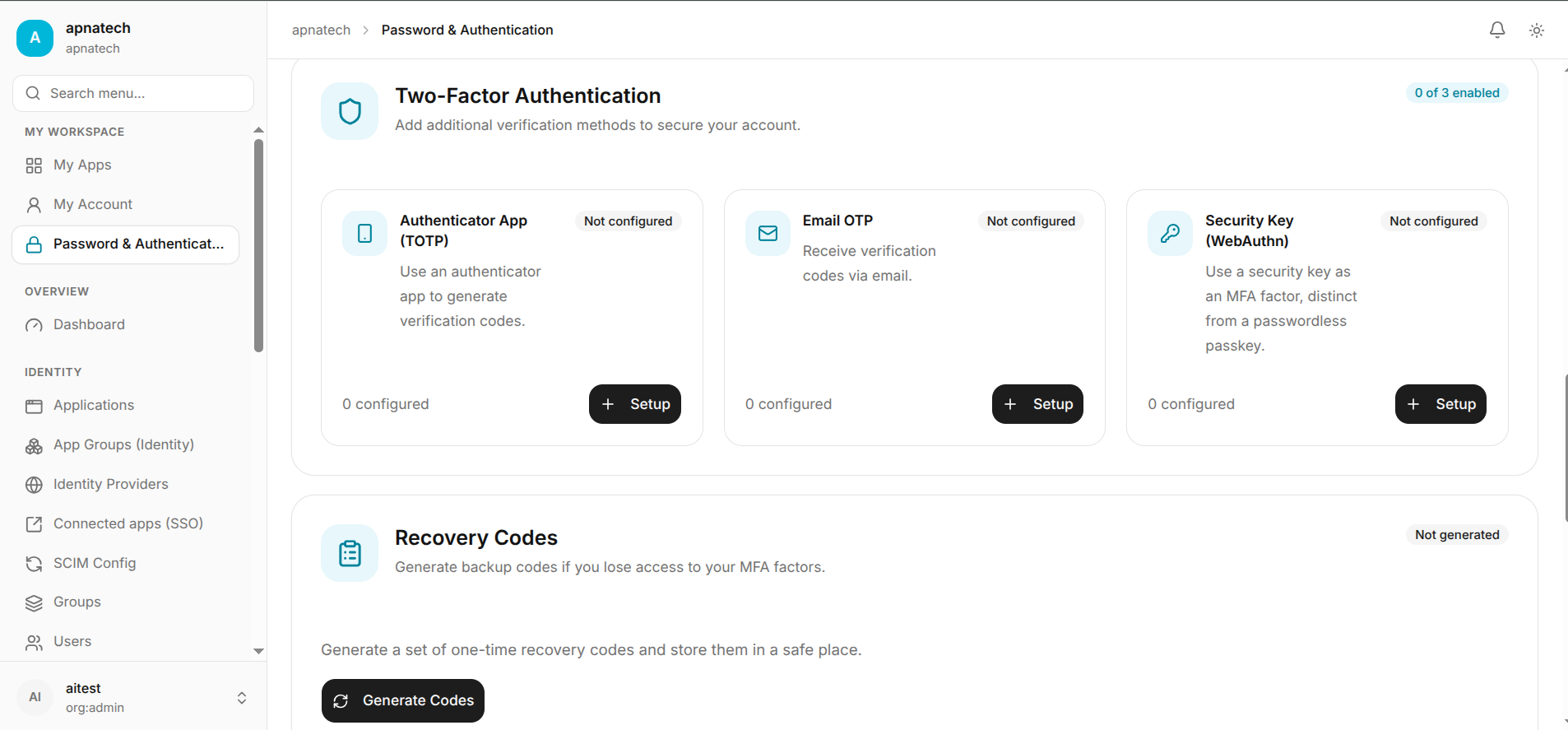
- Require MFA for administrative roles (recommended).
- Decide which MFA methods to allow/enforce: TOTP, passkeys/WebAuthn, email MFA, hardware keys.
- Configuration:
- Require MFA for specific roles.
- Ensure users register at least one primary and one fallback MFA method in My Account.
- Configure step-up reauth thresholds for particularly sensitive actions (e.g., deleting signing keys, rotating tokens) if supported.
- Validation: Admins must enroll MFA and reauthentication prompts appear when attempting sensitive operations.
Session Policies & Trusted Devices
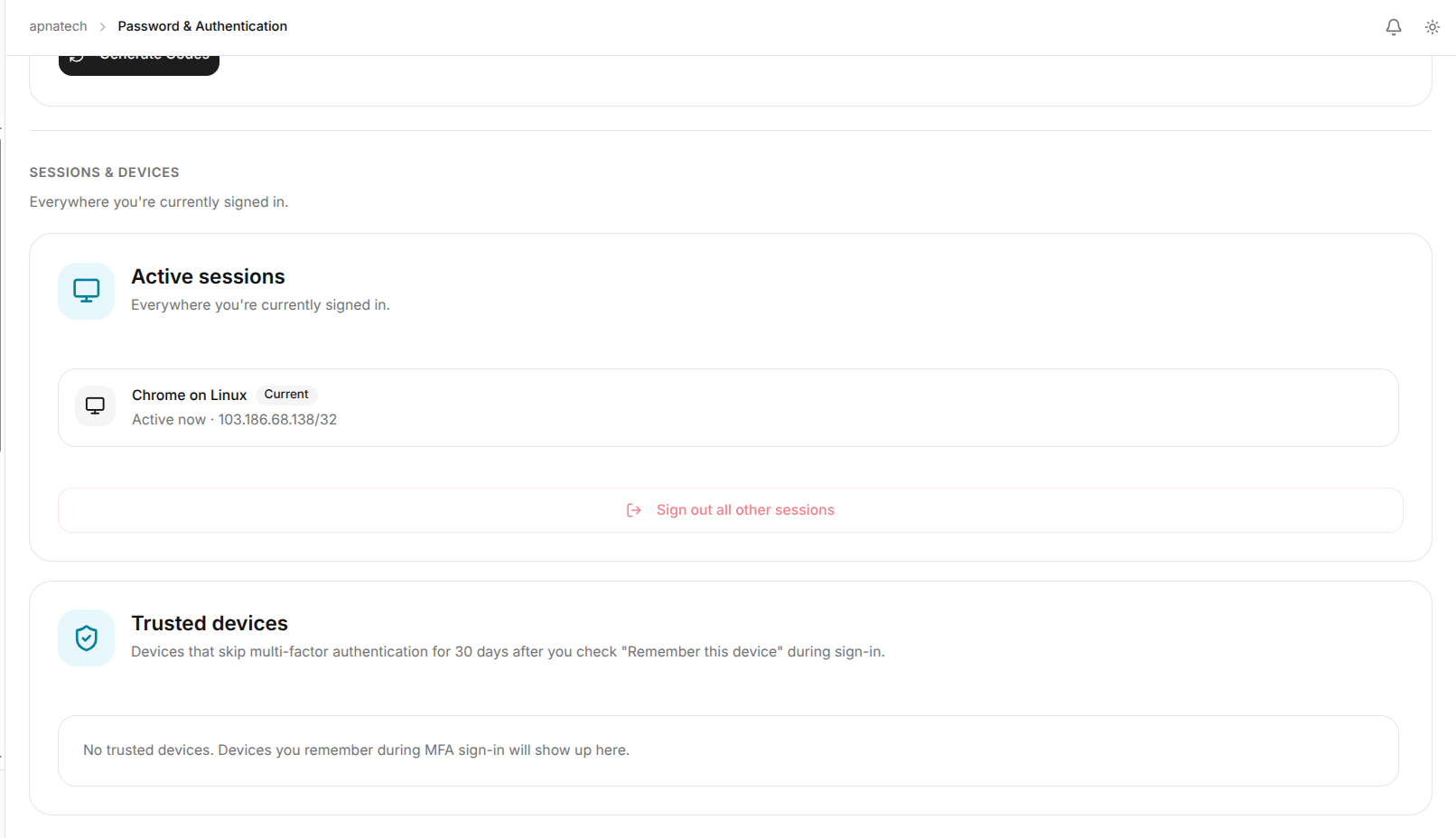
- Decisions:
- Idle timeout and maximum session duration: balance security and usability.
- Device trust durations: how long "remembered" devices remain trusted before reauth is required.
- Actions: Configure session policy at org level and test flows that require session renewal.
- Validation: Simulate a session approaching the timeout and verify the portal requests reauth according to policy.
Provisioning (SCIM) or Invite-based Onboarding
-
Choose your onboarding mechanism:
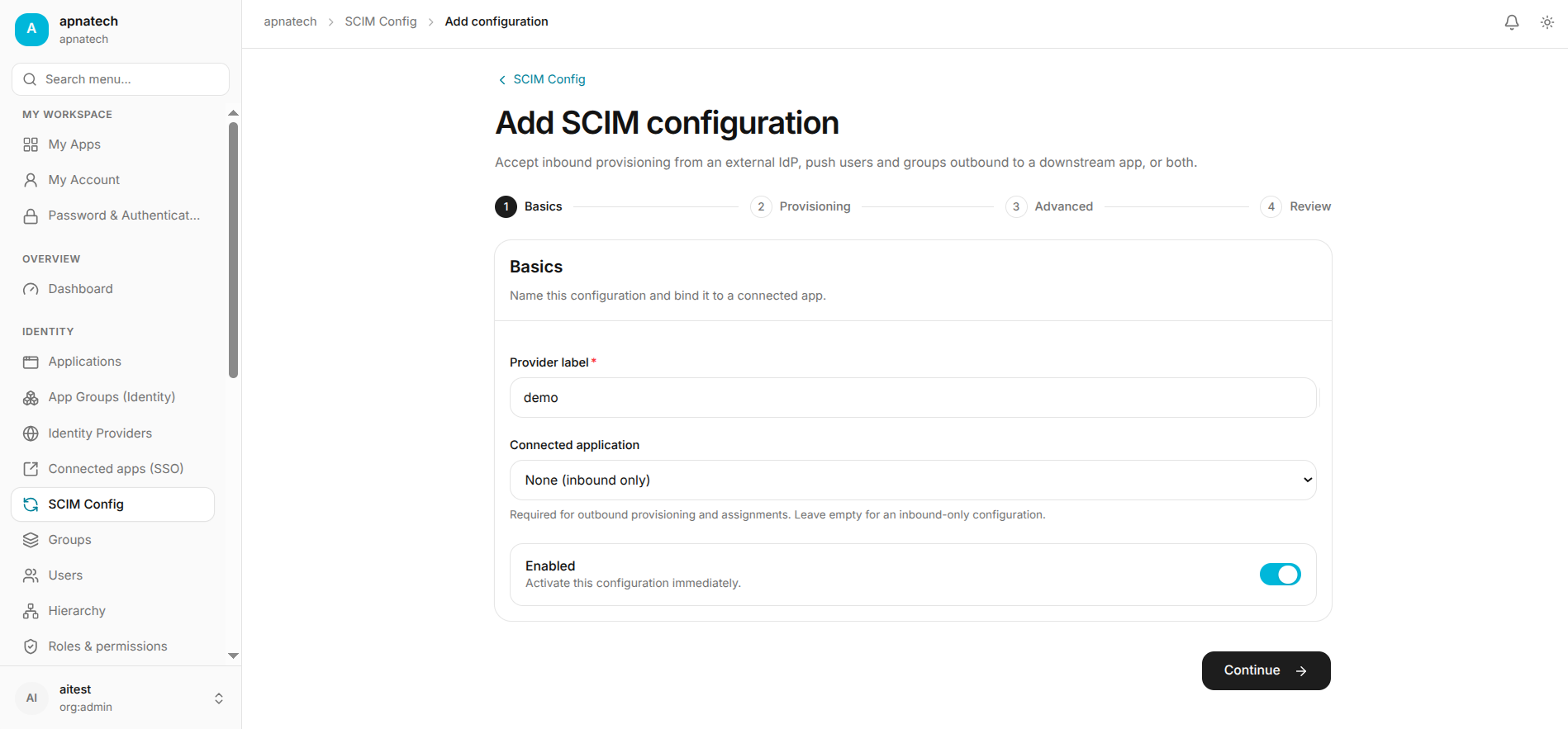
- For automated identity lifecycle, configure SCIM provisioning to target systems via SCIM Configuration.
- For manual or hybrid onboarding, use invite flows and bulk CSV imports via Users.
-
SCIM configuration checklist:
- Provide SCIM base URL and authentication (token/secret) to the target system and configure attribute mappings.
- Test with a single user create/update.
- Schedule or enable bulk sync after successful tests.
-
Invite/bulk onboarding steps:
- Prepare CSV per template.
- Run a test import and check per-row statuses and errors.
- Resolve failed rows and run import for full population.
-
Validation:
- Provisioned users appear in the target system and updates propagate as expected.
- For imports: all rows either succeed or have actionable errors.
Billing & Plan Configuration
-
Actions:
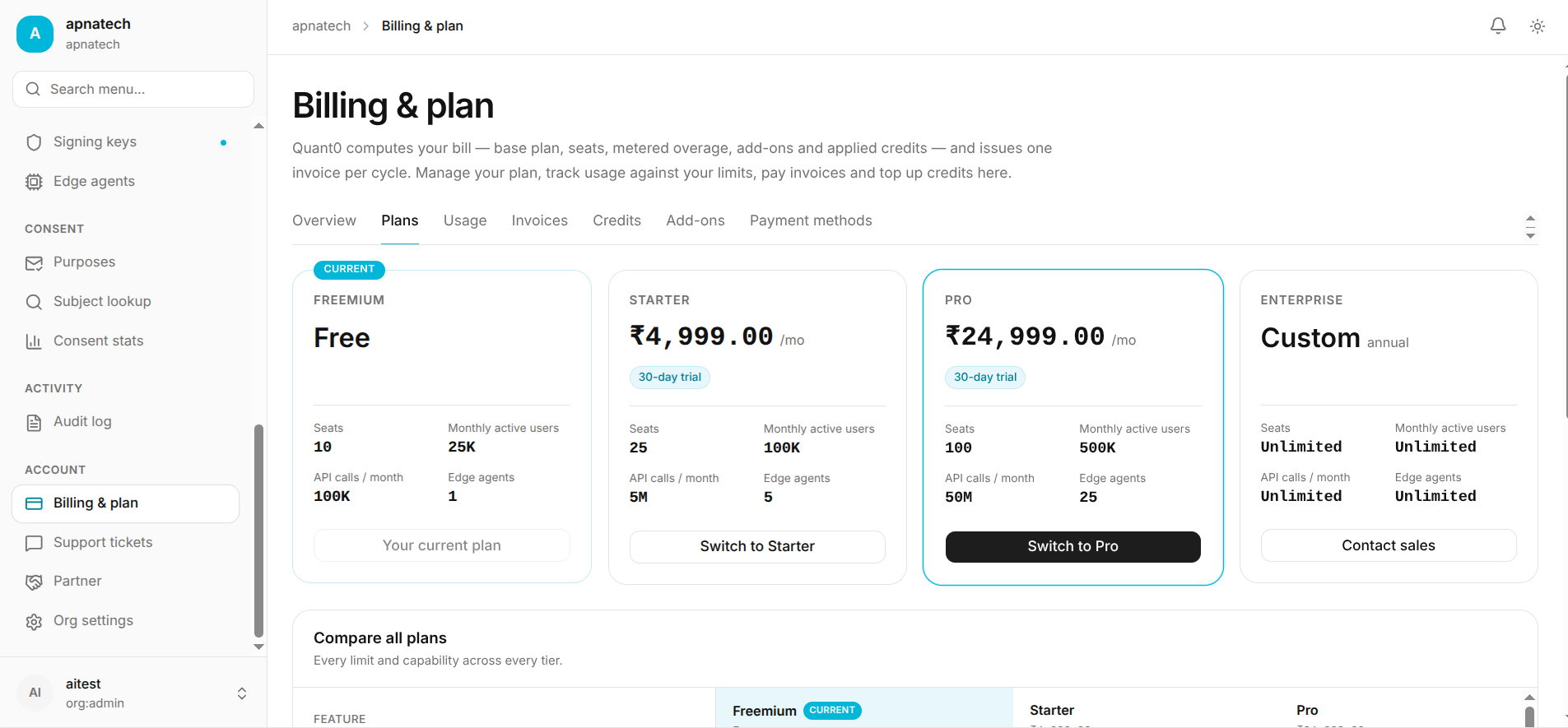
- Add billing contact and confirm payment method in Billing & Plan.
- Review plan limits (seats, API keys, custom domains, agents) on the Dashboard and allocate quotas internally.
- If you expect to exceed limits, schedule an upgrade or arrange add-on purchases proactively.
-
Validation:
- Confirm invoices are visible and downloadable.
- Simulate an action that would be blocked by a limit (in test/staging) to validate portal displays the correct guidance and CTAs.
Applications, Connected Apps, and Client Credentials
- Administrator tasks:
- Register connected applications (OIDC/SAML), set exact redirect URIs, and mark owners in Applications and Connected Apps.
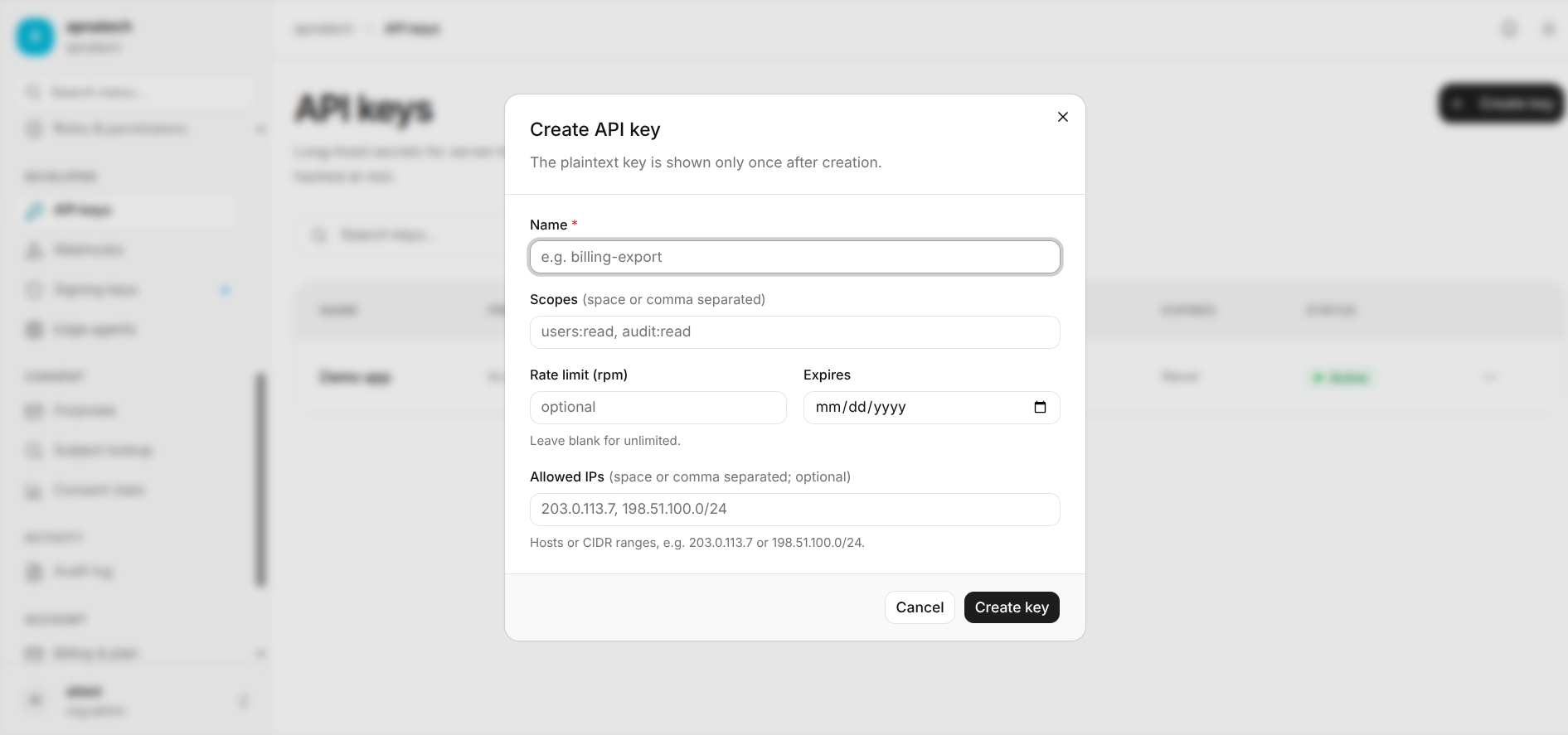
- For apps that require machine credentials or API access, create API keys/credentials with narrow scopes.
- Rotate secrets for apps and verify consumers update their configuration.
- Validation:
- Test application login flows and token issuance via My Apps.
- Test secret rotation process: new secret works, old secret can be revoked after confirmation.
API Keys, Webhooks and Integrations
- Actions:
- Validation:
- Verify API key-scoped operations succeed.
- Confirm webhook delivery logs show expected payloads and successful responses from consumers.
Signing Keys & Metadata (SAML / JWT)
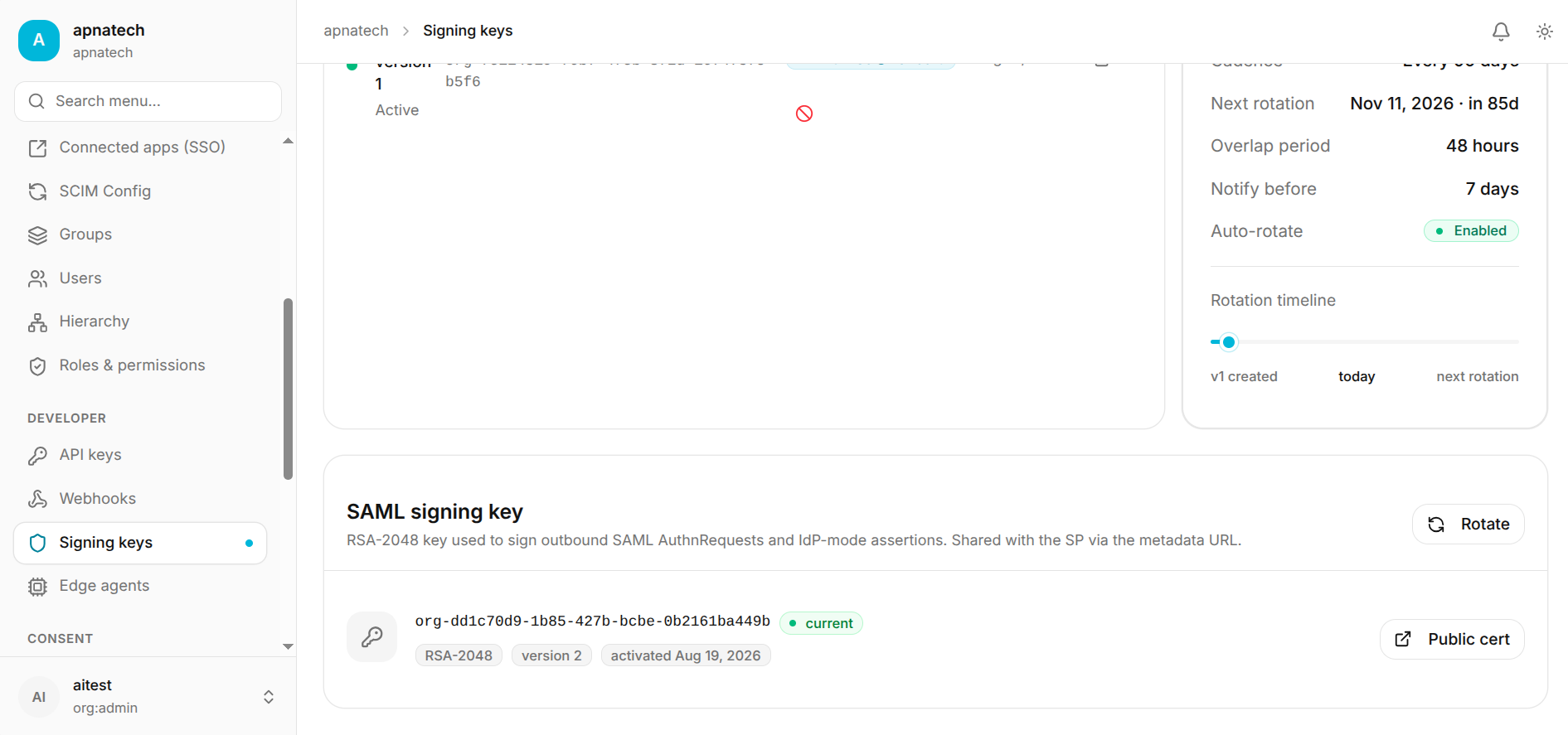
- If you offer SAML or sign tokens:
- Generate signing keys and publish public certificates/metadata to relying parties in Signing Keys.
- Plan key rotation windows and communicate changes in advance.
- Validation:
- Relying parties can validate signatures and metadata after rotation.
- Coordinate a transition window where both old and new keys are trusted if possible.
Audit Logging & Retention
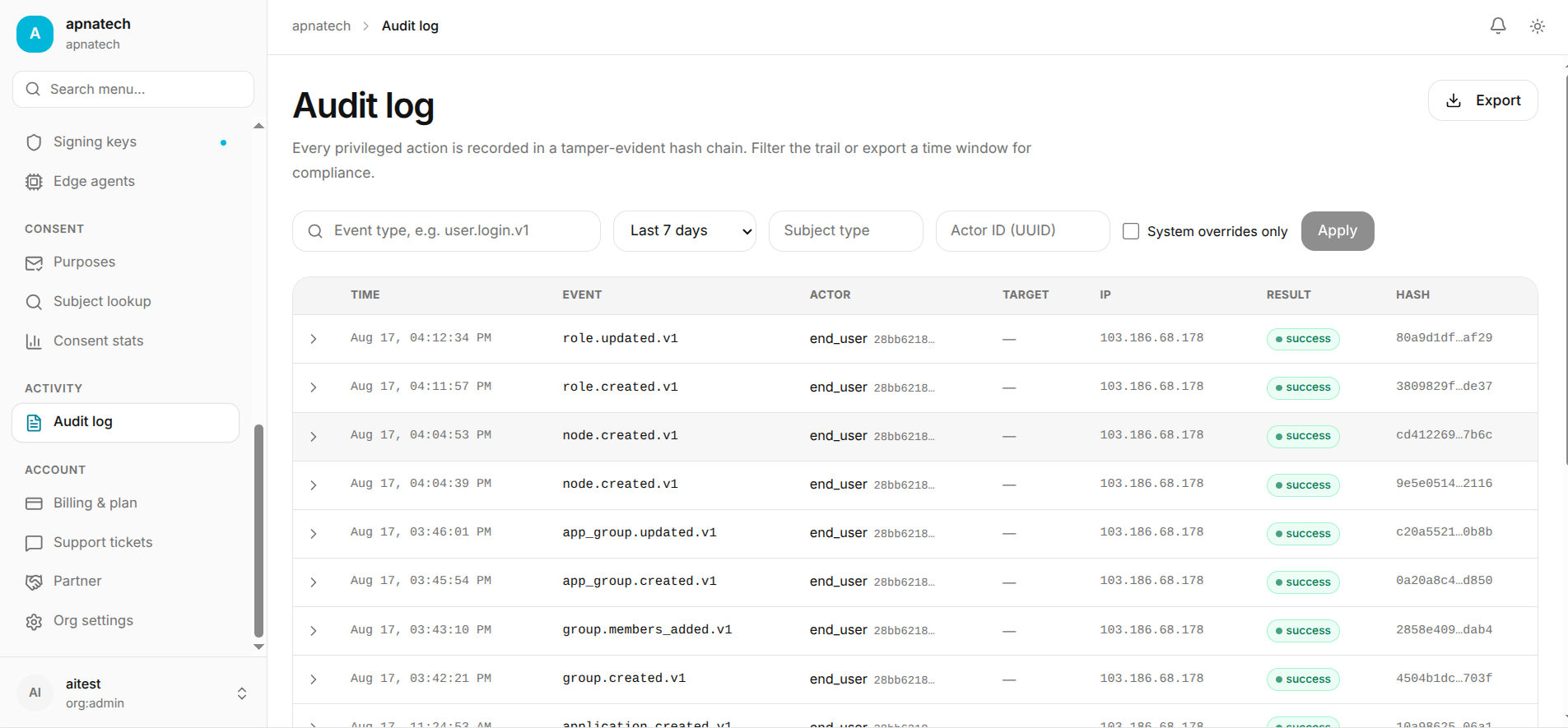
- Policy: Decide audit retention and export cadence to meet compliance requirements.
- Actions:
- Confirm audit logging is enabled for admin actions and sensitive events in the Audit Log.
- Configure regular exports/archival to a secure, immutable storage per retention policy.
- Validation: Search for sample events and export a subset to ensure export format and content meet requirements.
Operational Testing & Acceptance
- Test scenarios to run:
- Login variations: Fallback admin, SSO, passkey, TOTP, and lost-MFA recovery.
- Onboarding: Invite flow, CSV import, SCIM provisioning create/update/delete.
- Sensitive actions: Rotate a signing key, revoke API key, deprovision a user - verify step-up and audit entries.
- Billing block scenario: Instrument or simulate a resource hitting a limit (in staging) to ensure clear guidance is shown.
- Webhook/API integrations: Validate consumer accepts payloads and signatures.
- Validation: Verify expected UI behaviors, notifications (in-app or email), and that audit and billing messages appear as expected.
Operational Hardening Recommendations
- Require MFA for all admin roles.
- Use least-privilege RBAC and prefer group-based assignments.
- Rotate signing keys and secrets on a schedule and maintain a documented rollout plan.
- Restrict audit log access to a small set of authorized users and export audit logs to immutable storage.
- Use short-lived API credentials where possible and enforce key rotation.