Passkeys
Quant0 supports passkey-based authentication using the WebAuthn / FIDO2 standard. Passkeys allow users to authenticate securely without entering their account password.
Passkey Authentication Options
Quant0 currently provides the following passkey authentication options:
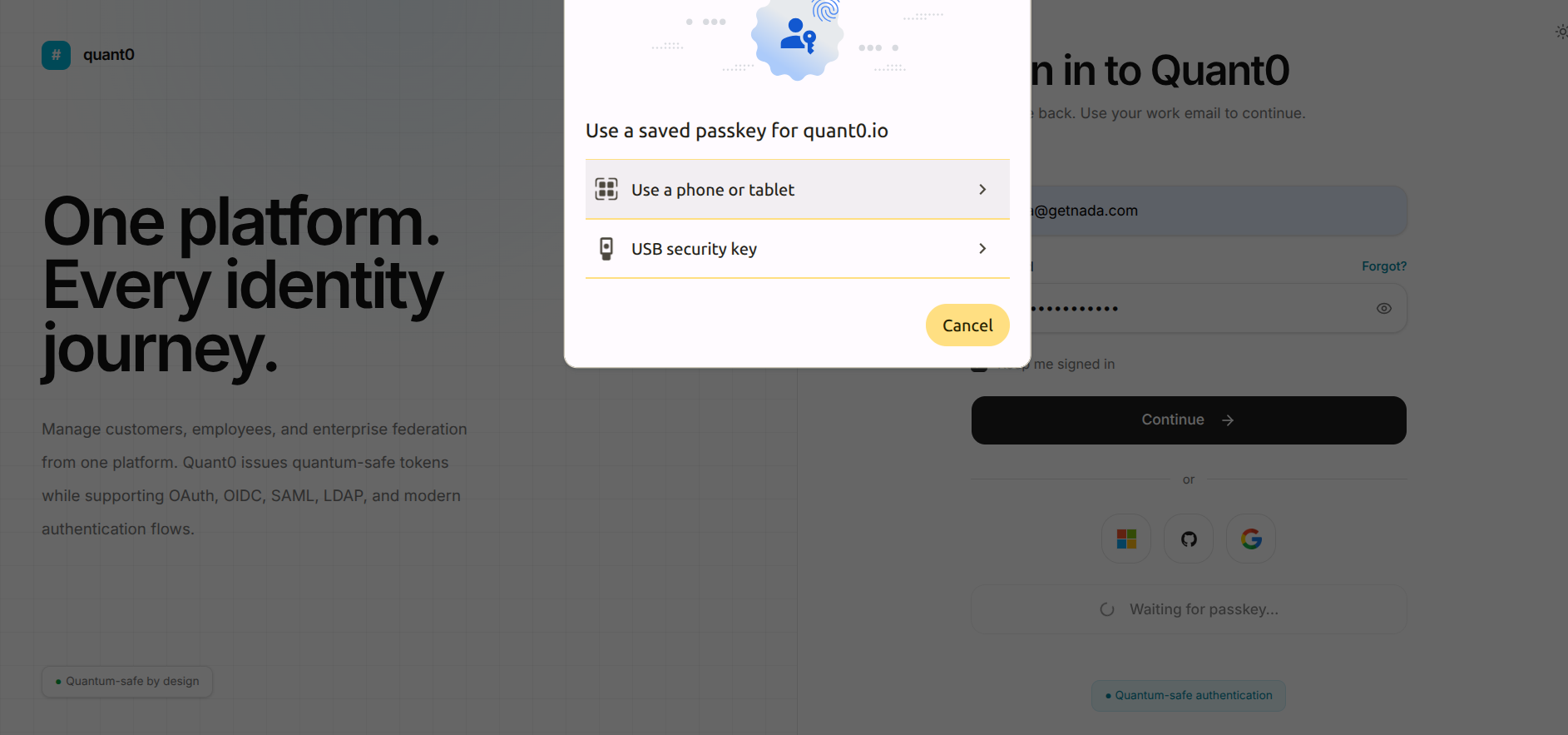
Phone or Tablet
Users can authenticate using a passkey stored on their phone or tablet.
To use this option:
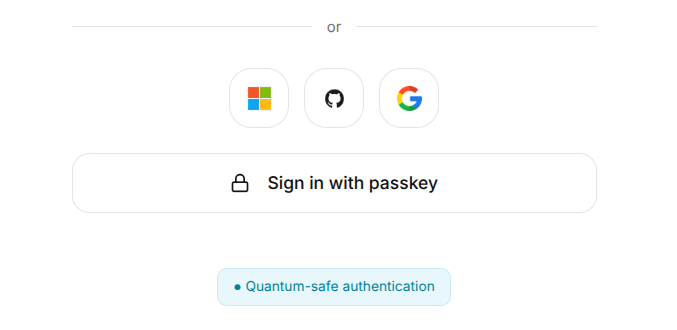
- Click Sign in with passkey.
- Select Use a phone or tablet from the passkey authentication prompt.
- Follow the instructions displayed by the browser.
- Complete the authentication on your phone or tablet.
- After successful verification, Quant0 signs you in and redirects you to the Dashboard.
USB Security Key
Users can authenticate using a compatible USB security key.
To use this option:
- Click Sign in with passkey.
- Select USB security key from the authentication prompt.
- Connect your USB security key to the device.
- Follow the authentication instructions displayed by the browser.
- Complete the security-key verification.
- After successful verification, Quant0 signs you in and redirects you to the Dashboard.
Adding a Passkey
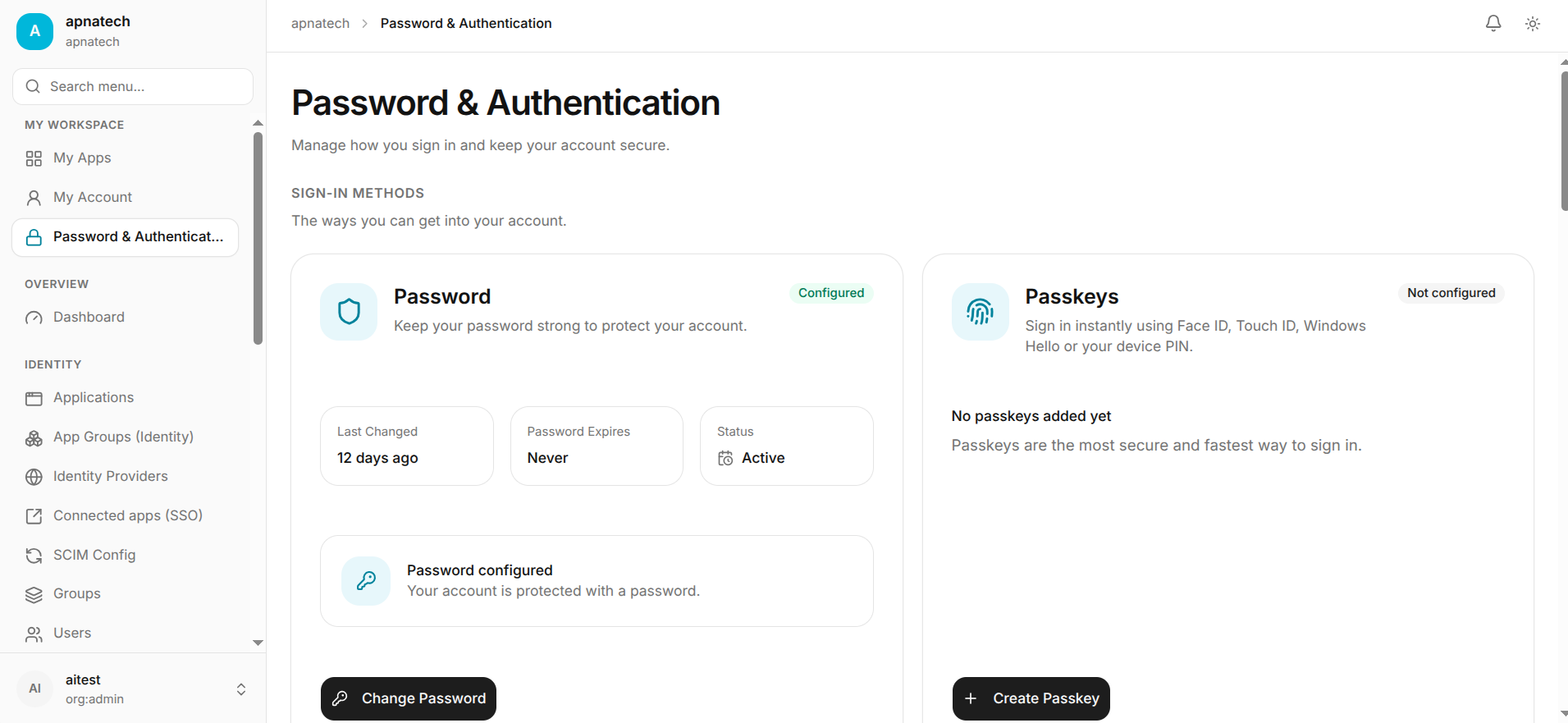
To add a new passkey:
- Open My Account from the left navigation menu.
- Select password-authentication.
- Locate the Passkeys section under Sign-In Methods.
- Click Create Passkey to register a new passkey.
- Select the available authentication method.
- Follow the browser's passkey registration instructions.
- Complete the authentication process.
- Once registration is successful, the passkey is associated with your Quant0 account.
Common Passkey Issues
| Issue | Cause | Solution |
|---|---|---|
| Passkey Not Prompting | The browser cannot start the passkey authentication flow. | Refresh the page and try Sign in with passkey again. |
| Phone or Tablet Not Available | The passkey cannot be accessed from the selected device. | Ensure your phone or tablet is available and follow the browser prompt again. |
| USB Security Key Not Detected | The security key is not connected or recognized. | Connect the USB security key and retry the authentication. |
| Authentication Cancelled | The passkey authentication prompt was cancelled. | Start the passkey authentication process again. |
| Authentication Failed | The selected passkey could not be verified. | Retry the authentication or use another available passkey. |
Security
Passkeys use public-key cryptography to authenticate users securely.
The private credential remains protected by the user's authenticator and is not shared with Quant0 during authentication.