Recovery Codes
Quant0 provides Recovery Codes as a backup authentication method for users who lose access to their configured MFA factors.
Recovery codes can be used during sign-in instead of email verification or another configured MFA method.
⚠️ Important: Each recovery code can only be used once. Keep recovery codes secure and do not share them with anyone.
How Recovery Codes Work
Recovery codes are generated when multi-factor authentication is configured for an account.
Each recovery code can be used as a backup authentication method when the user cannot access their primary MFA factor.
During the authentication process, users can select:
Use a backup recovery code
The user can then enter one of their unused recovery codes to complete authentication.
Sign In Using a Recovery Code
To sign in using a recovery code:
- Open the Quant0 Sign In page.
- Enter your registered email address.
- Enter your password.
- Continue to the verification step.
- Select Use a backup recovery code.
- Enter one of your unused recovery codes.
- Select Verify and continue →.
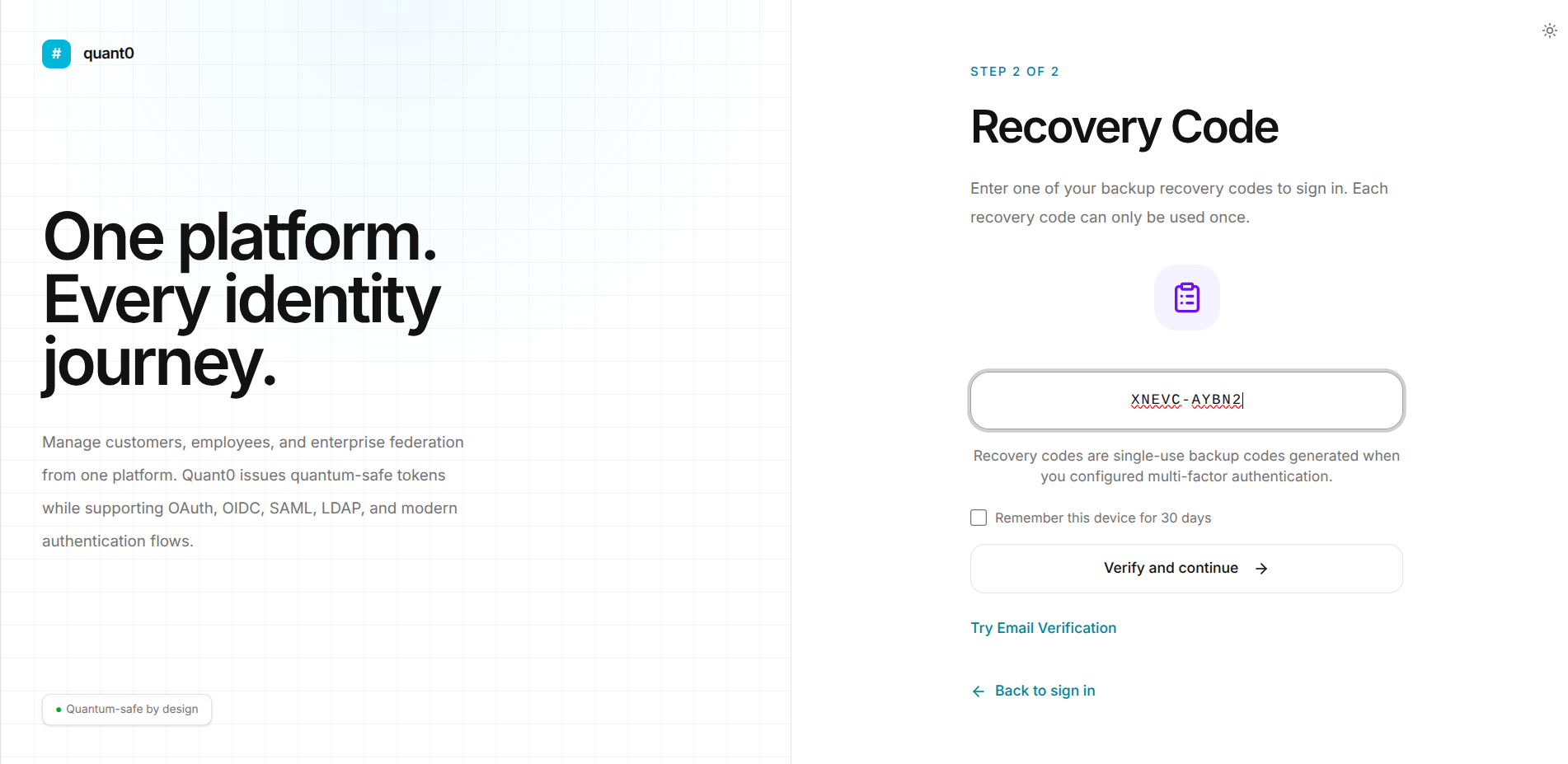
- After successful verification, the recovery code is marked as used.
Recovery Code Format
Recovery codes use a format similar to:
7AQWT-MIO8Y
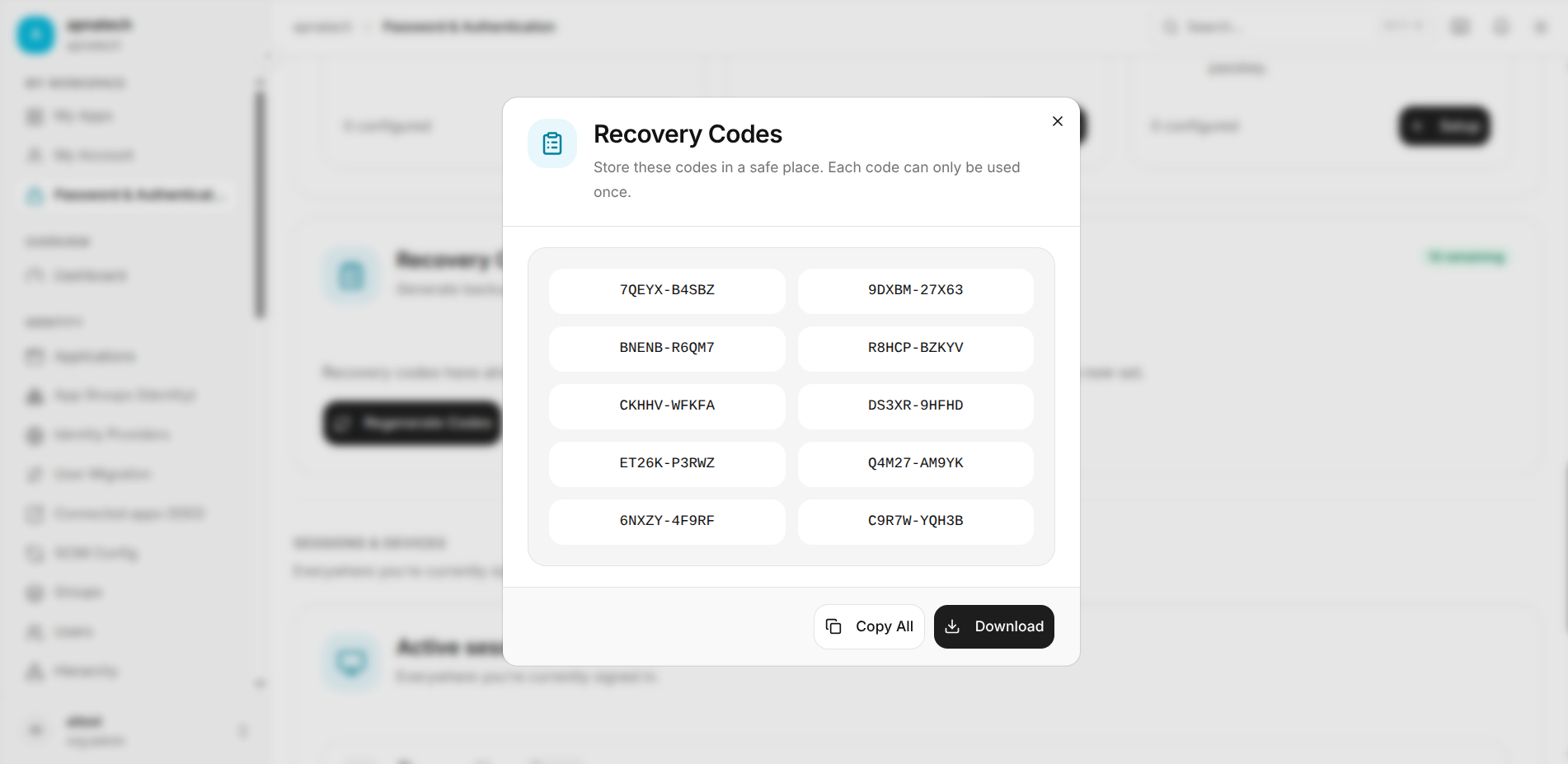
Note -> For security reasons, actual recovery codes should not be included in documentation these all the for refrence not real one .
Regenerate Recovery Codes
Users can generate a new s, screenshots, source code, or logset of recovery codes using:
Regenerate Codes
When recovery codes are regenerated:
- All previously generated recovery codes become invalid.
- A new set of recovery codes is generated.
- The new recovery codes should be stored securely.
- Previously used or unused codes from the old set can no longer be used.
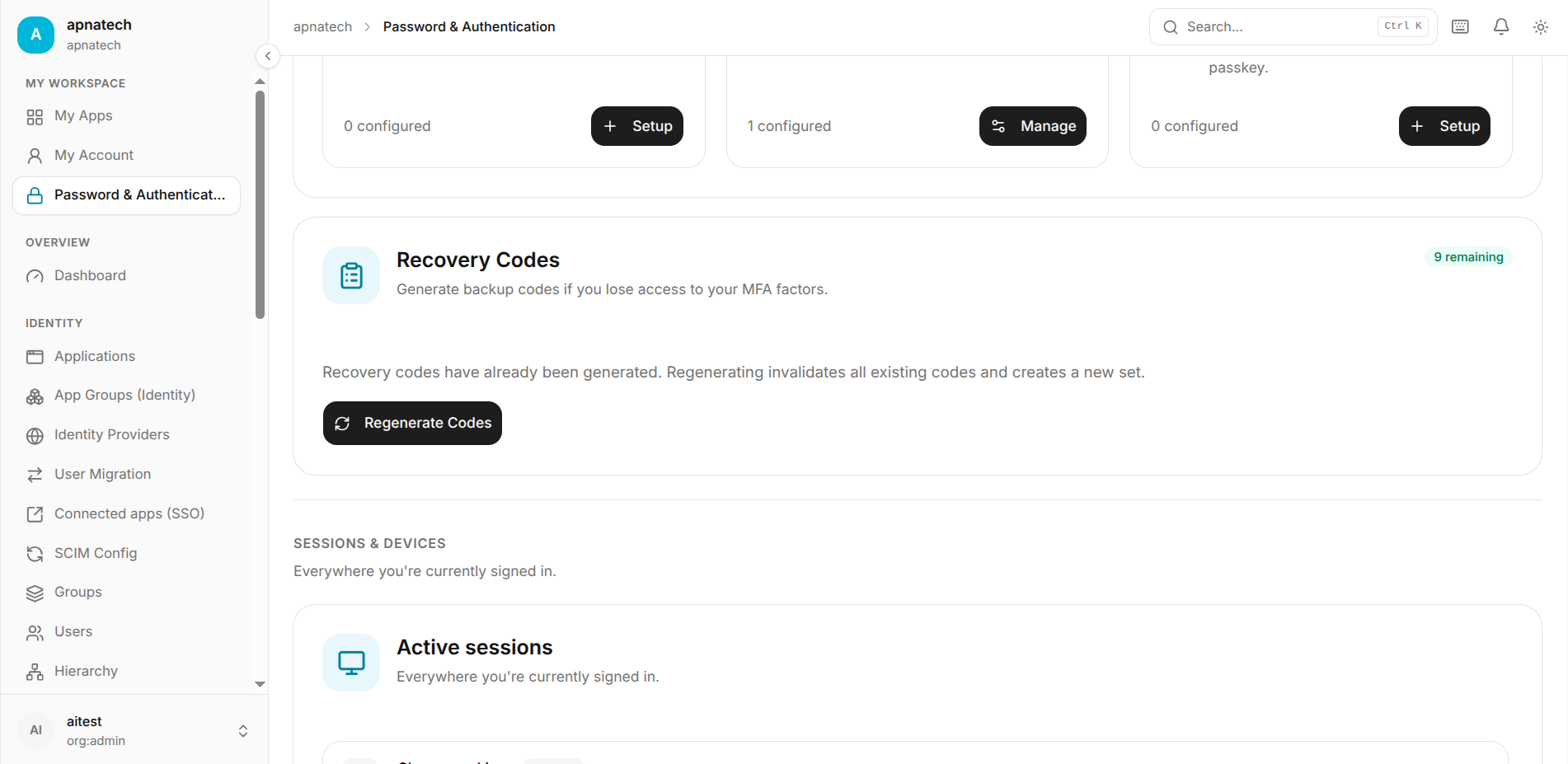
⚠️ Warning: Regenerating recovery codes invalidates all existing recovery codes.
Using Email Verification Instead
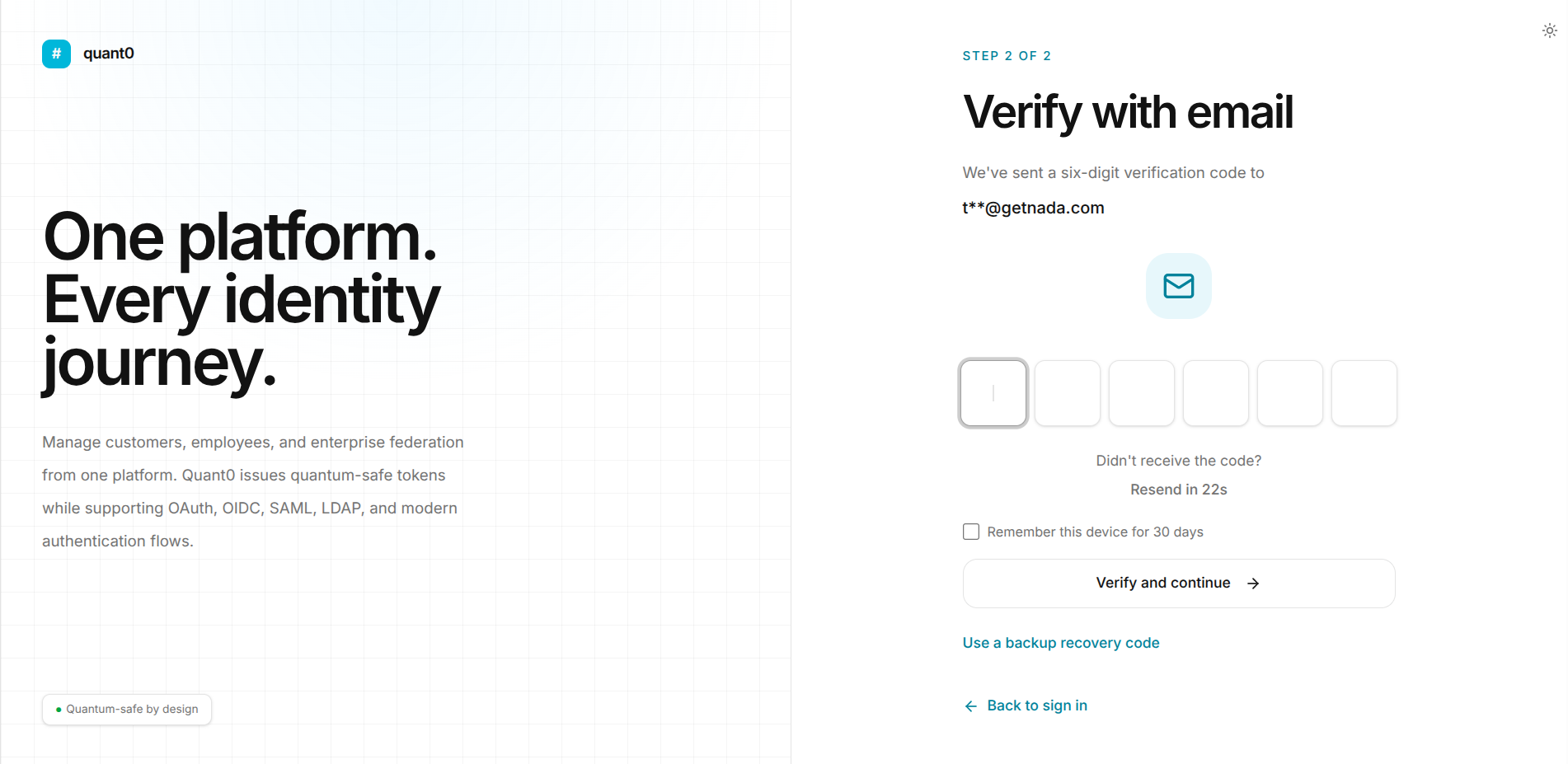
If the user still has access to their registered email address, they can use Email Verification instead of a recovery code.
On the verification screen, select:
Try Email Verification
Quant0 sends a six-digit verification code to the registered email address.
Related Documentation
- Sign In to Quant0 - Learn how to sign in to Quant0.
- Trusted Devices - Manage trusted devices and sign-in sessions.
- Passkeys - Configure and use passwordless passkey authentication.
- Password & Authentication - Manage account authentication settings.