Create Your Organization
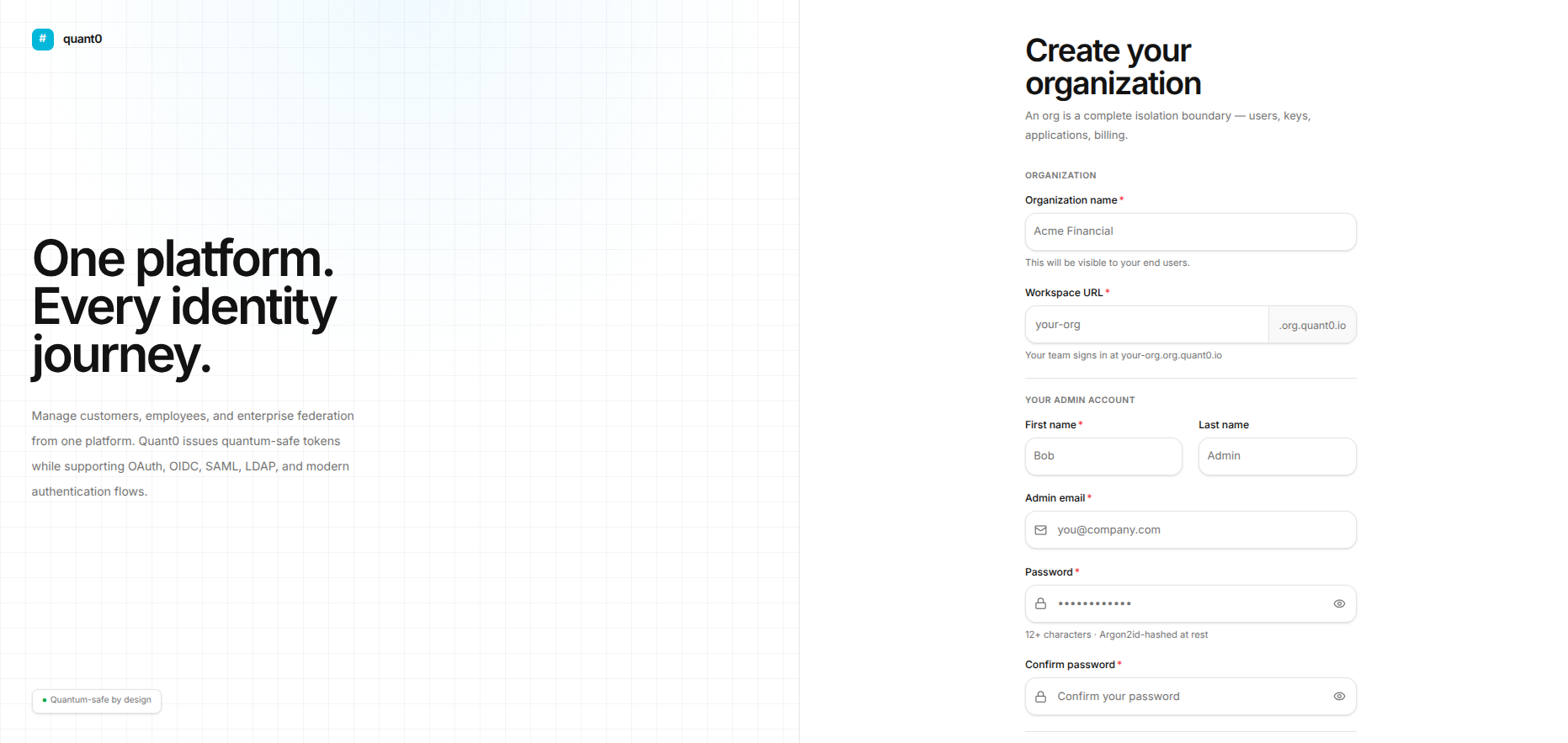
An organization acts as a complete isolation boundary for your users, keys, applications, and billing environments. Follow this guide to fill out the form accurately.
Field Specifications & Validations
1. Organization Details
Organization Name (Required)
Description: The public name for your company or team, visible to your end users.
Validation Rules:
- Minimum length: 2 characters
- Maximum length: 100 characters
- Cannot be left blank
Placeholder: Acme Financial
Workspace URL (Required)
Description: Sets the custom domain prefix for your team environment:
your-org.org.quant0.io
Validation Rules:
- Only lowercase letters, numbers, and hyphens are allowed (
a-z,0-9,-). - Cannot start with a hyphen.
- Cannot end with a hyphen.
- Must be unique across the platform.
- The system checks subdomain availability before allowing registration.
Placeholder: your-org
3. Optional Codes & Agreements
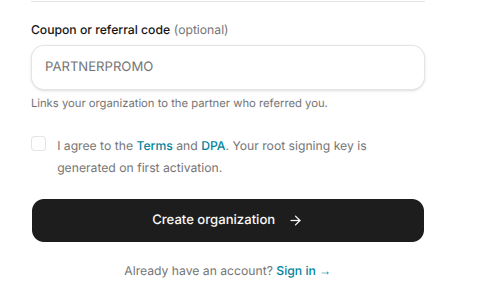
Have a Coupon or Referral Code?
An expandable prompt allows users to enter a valid promotional or partner referral code. Applicable codes may provide billing discounts.
Terms and DPA Checkbox (Required)
Description: A mandatory checkbox confirming acceptance of the Terms and Data Processing Addendum (DPA).
System Note: Your organization's root signing key is automatically generated upon first activation.
Submission & Post-Registration
Before submitting the registration form:
- Review all entered information and confirm that it is accurate.
- Verify that all required fields have been completed.
- Check the Terms and DPA consent checkbox.
- Click Create Organization →.
Common Troubleshooting Scenarios
| Issue | Cause | Fix |
|---|---|---|
| Subdomain Unavailable | The requested workspace URL prefix is already in use. | Choose a unique workspace handle. |
| Password Mismatch | Password and Confirm Password do not match. | Re-enter the password in both fields carefully. |
| Button Disabled | Required fields or the Terms checkbox are incomplete. | Complete all mandatory fields and agreements. |
Already Have an Account?
If you already have an account, click Sign in → at the bottom of the page to log in directly.