Roles & Permissions
Purpose: Define who can do what - the RBAC model focused on roles composed of permissions and applied to users/groups/nodes.
Design & Governance
- Principle of least privilege: create narrow roles for specific tasks (e.g., “Support: Reset MFA”).
- Role naming: include scope and purpose in name (e.g., “Billing:InvoiceManager”, “Security:ReadAudit”).
Create a Role
- Step 1: New role → choose a clear name and description.
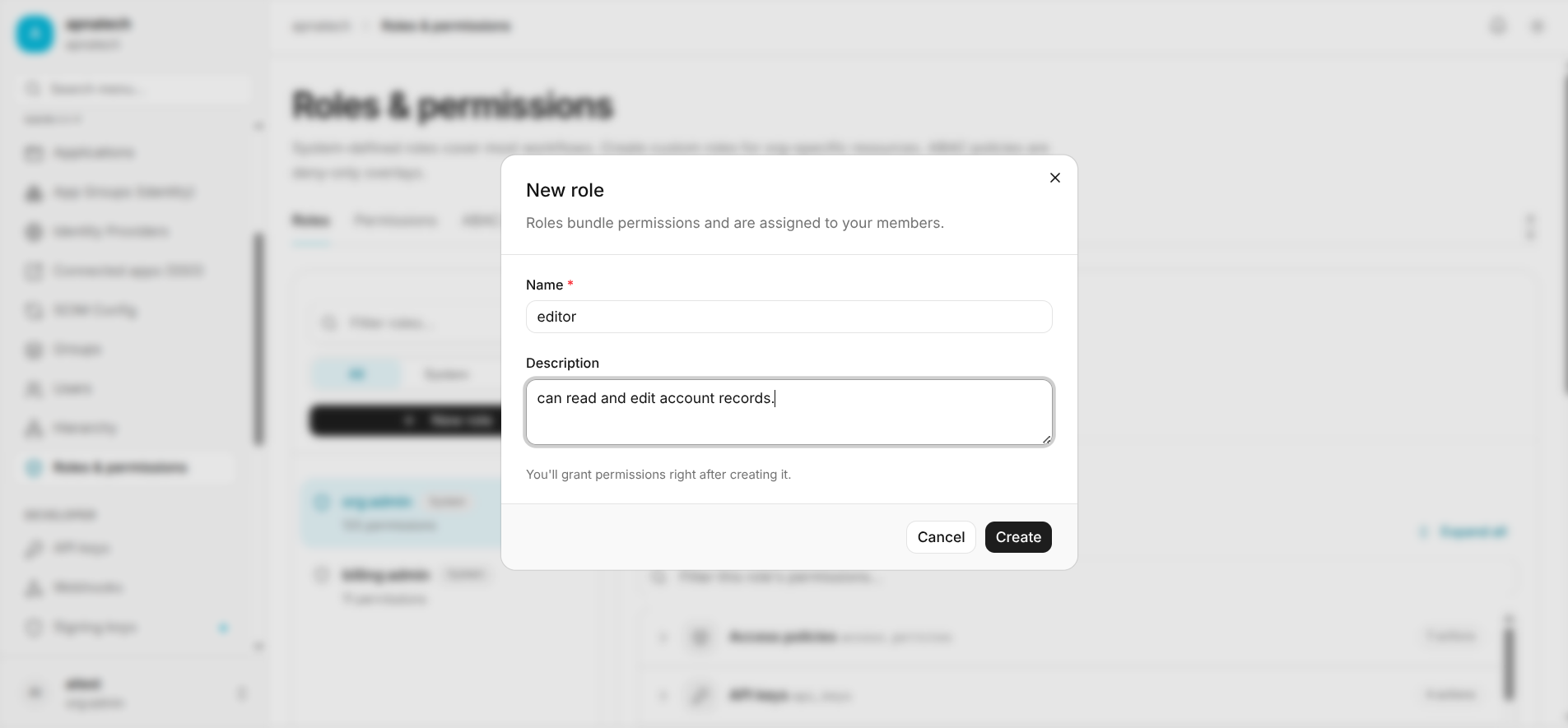
- Step 2: Select permissions needed for the role; prefer least privilege.
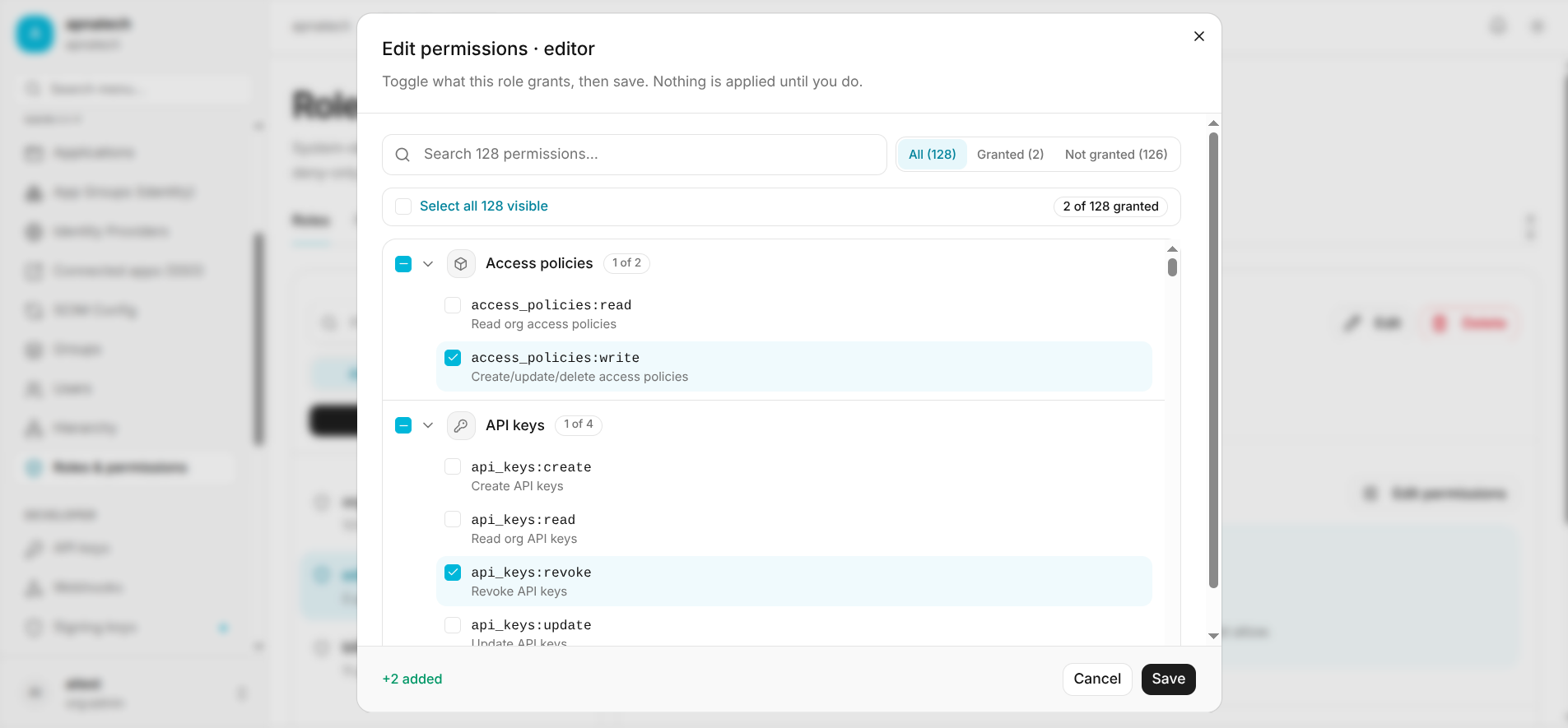
- Step 3: Assign to a user (see Users) or group (see Groups), or attach to a node (Hierarchy) for scoped application.
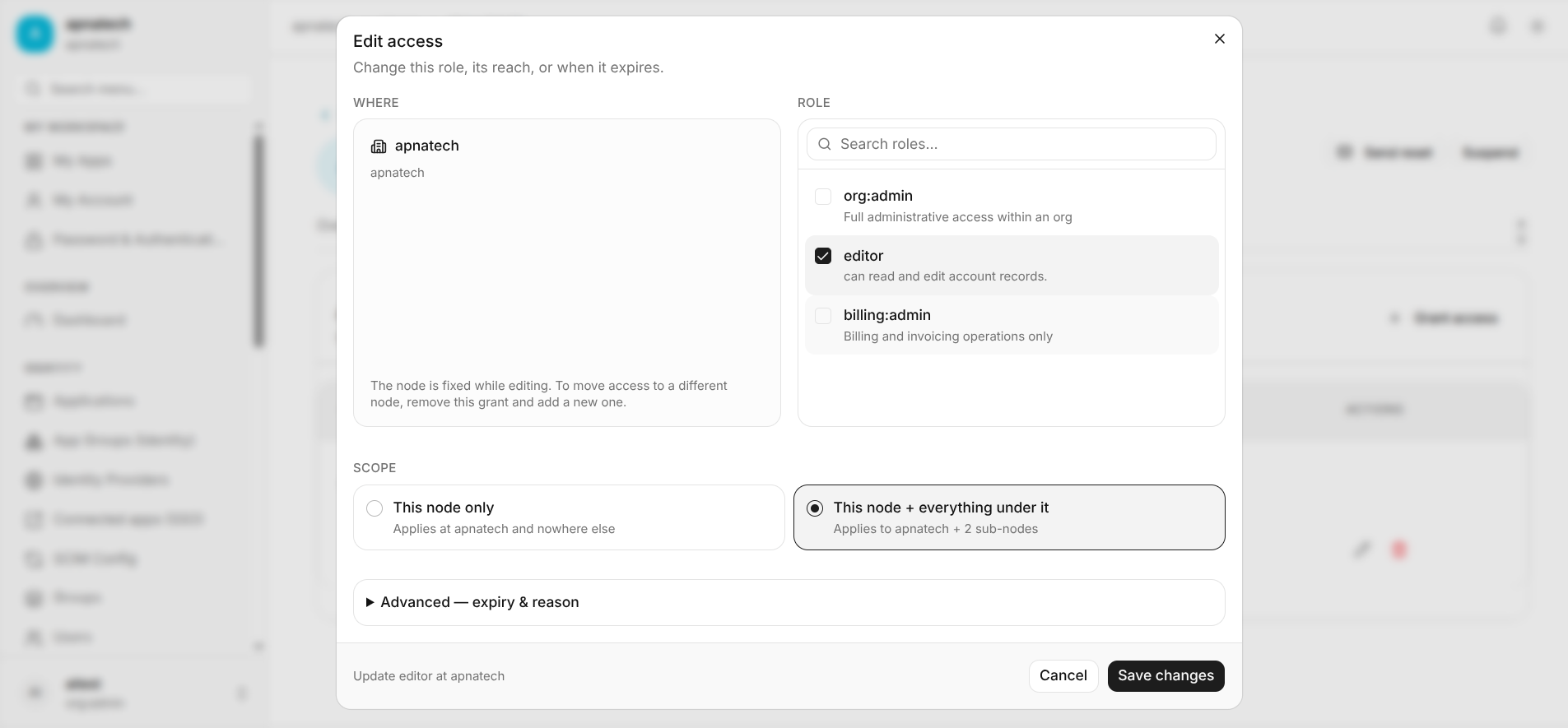
Role Assignment Lifecycle
- Step 1: Request and approval flows to grant elevated roles temporarily.
- Step 2: Use time-bound role assignments for temporary work (e.g., contractor access).
Access Reviews & Audits
- Schedule periodic access reviews for critical roles.
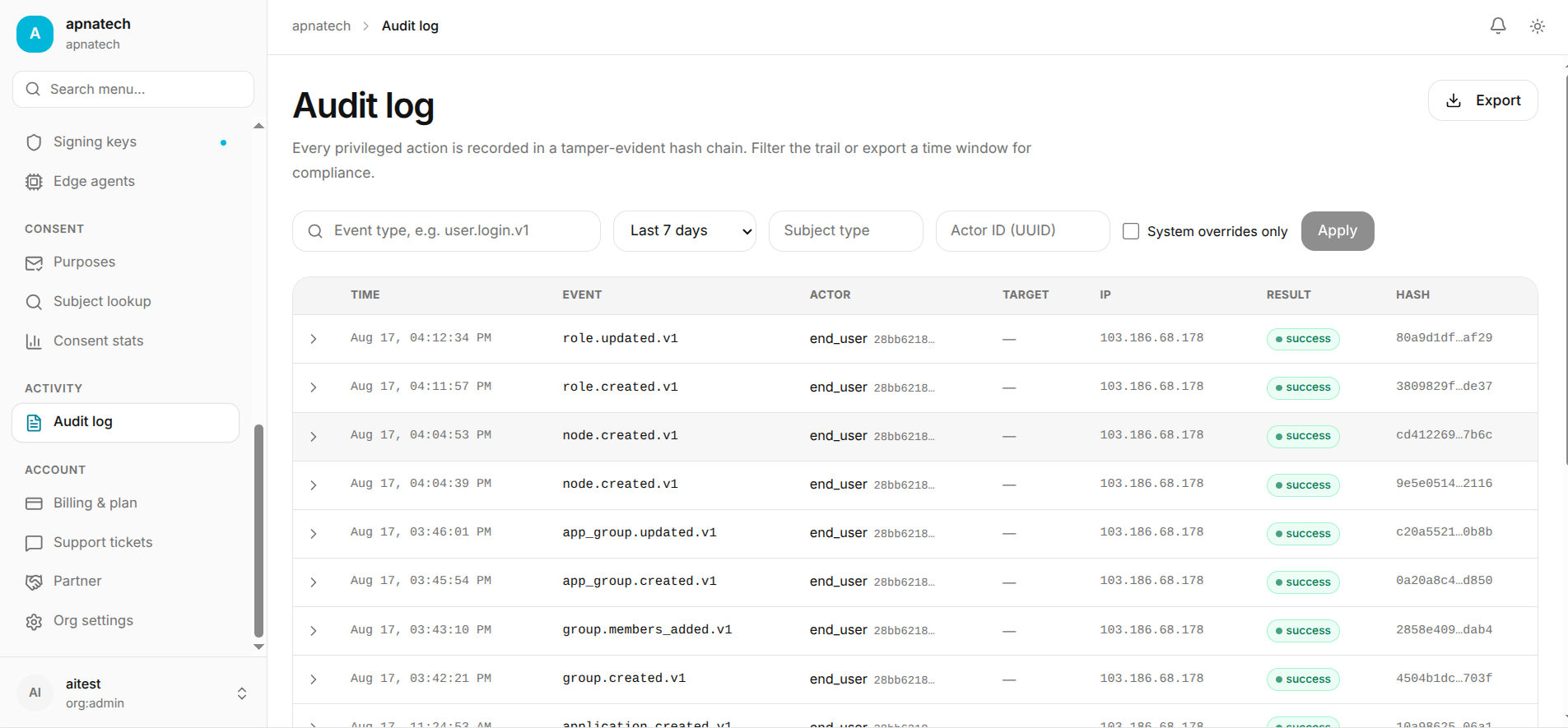
- Keep evidence of review and remediations in the Audit Log.
Troubleshooting
- Role not granting expected access:
- Verify that permissions included actually match the operation and that no deny policy overrides them.
Best Practices
- Use role templates and document their use-cases.
- Avoid role sprawl - retire unused roles.