User Audit
The Audit tab provides a history of important activities associated with a user account.
Administrators can use audit information to review account changes, authentication activity, access changes, and other security-relevant events.
Accessing User Audit
To view a user's audit history:
Users → Select a User → Audit
- Open Users.
- Select the required user.
- Select the Audit tab.
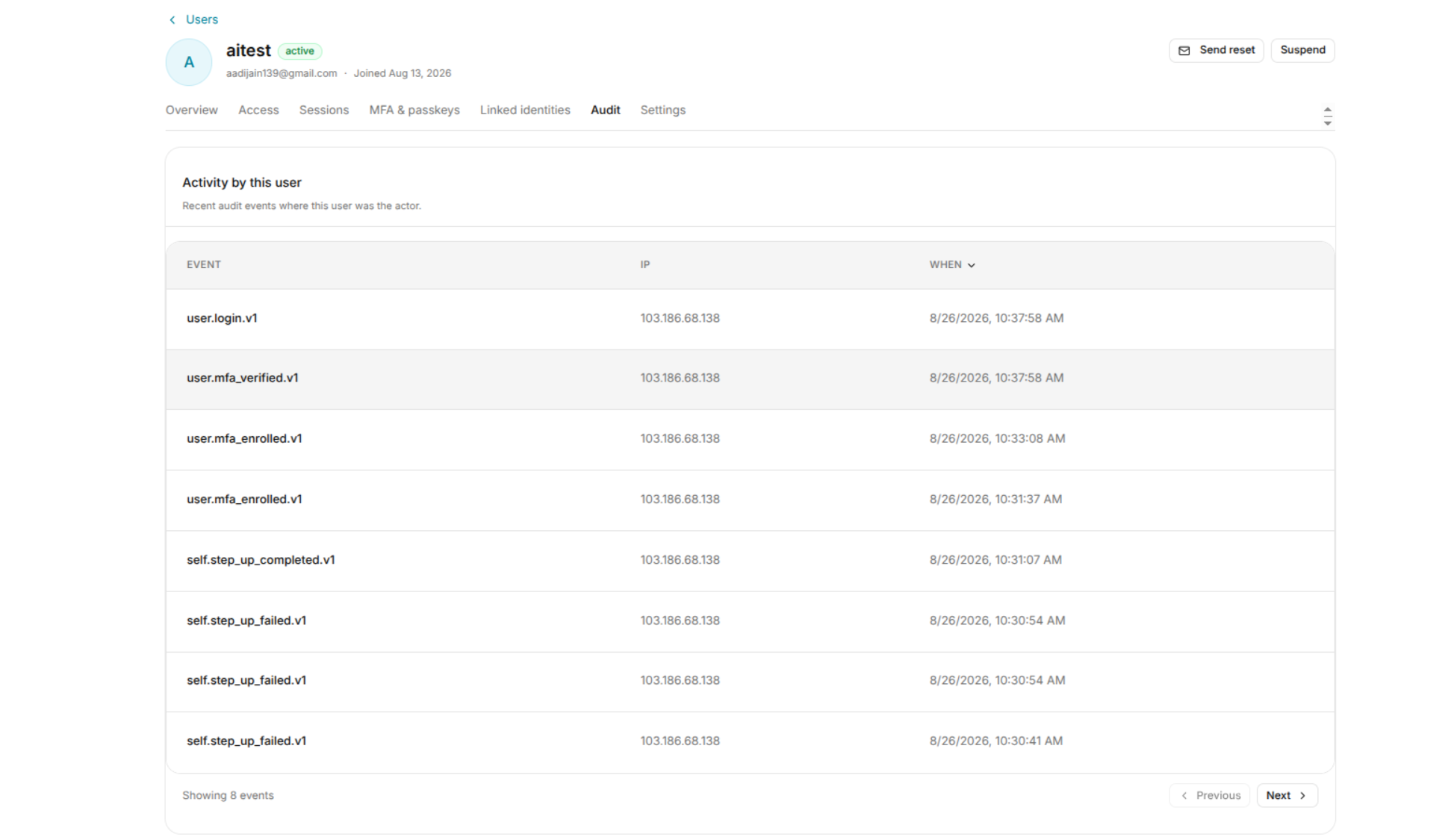
Audit Events
Audit records can include events related to:
- User account changes.
- Authentication activity.
- Session activity.
- Role and access changes.
- MFA and passkey changes.
- Linked identity changes.
- Administrative actions.
Reviewing Audit Activity
When investigating a user account:
- Open the Audit tab.
- Review the available events.
- Identify unexpected or unfamiliar activity.
- Compare the activity with the user's sessions and authentication factors.
- Take corrective action when necessary.
Security Investigations
Audit history can help administrators investigate:
- Unexpected sign-ins.
- Changes to user access.
- Authentication factor changes.
- Session termination.
- Administrative actions.
- Changes to linked identities.
For example, if an unfamiliar session appears under User Sessions, administrators can use the Audit page to review related activity.